Serve more Pinterest clients without adding busywork.
Keep every account, board, batch, and publishing queue organized from one professional workspace.
Pinapex is a Pinterest automation tool for scheduling Pins, batch uploading content, and managing multiple Pinterest accounts from one organized workspace.
Official Pinterest API · OAuth connection · No client passwords stored
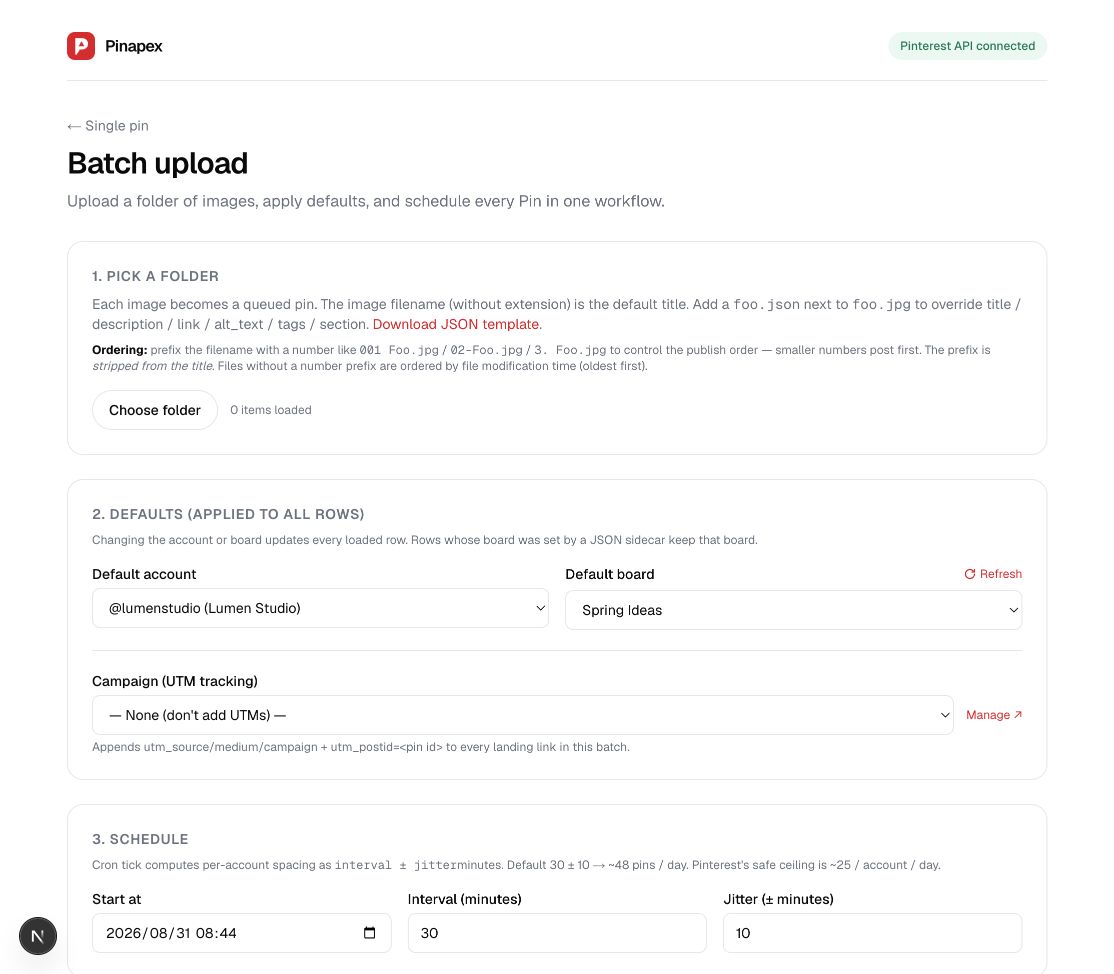
Actual Pinapex batch workflow · privacy-safe sample workspace
Give Claude Code, Codex, ChatGPT, or any shell-capable agent a secure operating layer for Pinterest. Pinapex turns intent into discoverable, machine-readable commands across publishing, queues, and analytics.
$ pinapex accounts list --json{ "accounts": [{ "name": "North & Pine", "status": "active" }] }$ pinapex boards list acct_01 --sync --json$ pinapex pins publish --account acct_01 \
--board "Spring Ideas" --image ./pin.jpg \
--schedule 2026-09-02T09:00:00Z --jsonInside Pinapex
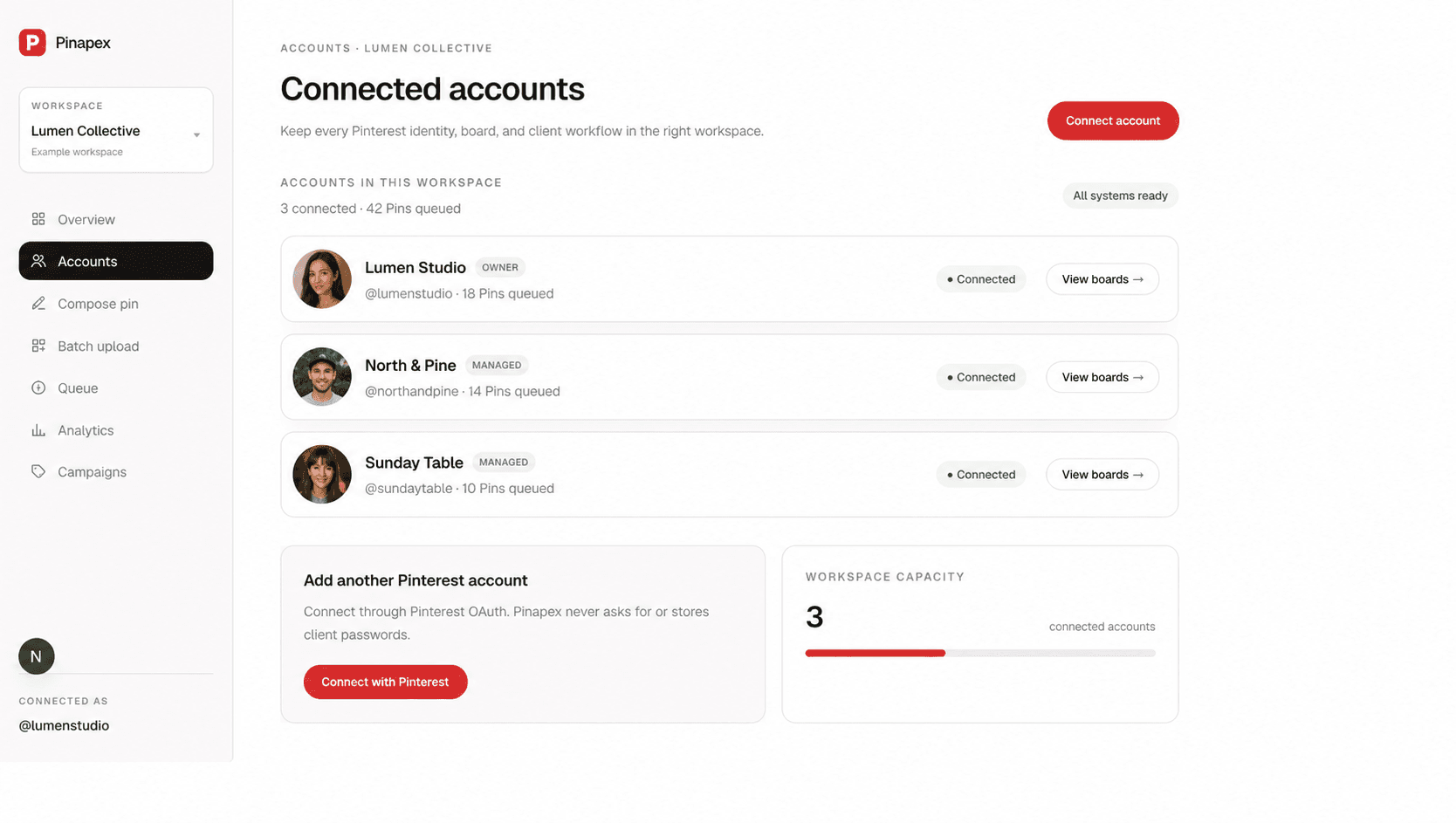
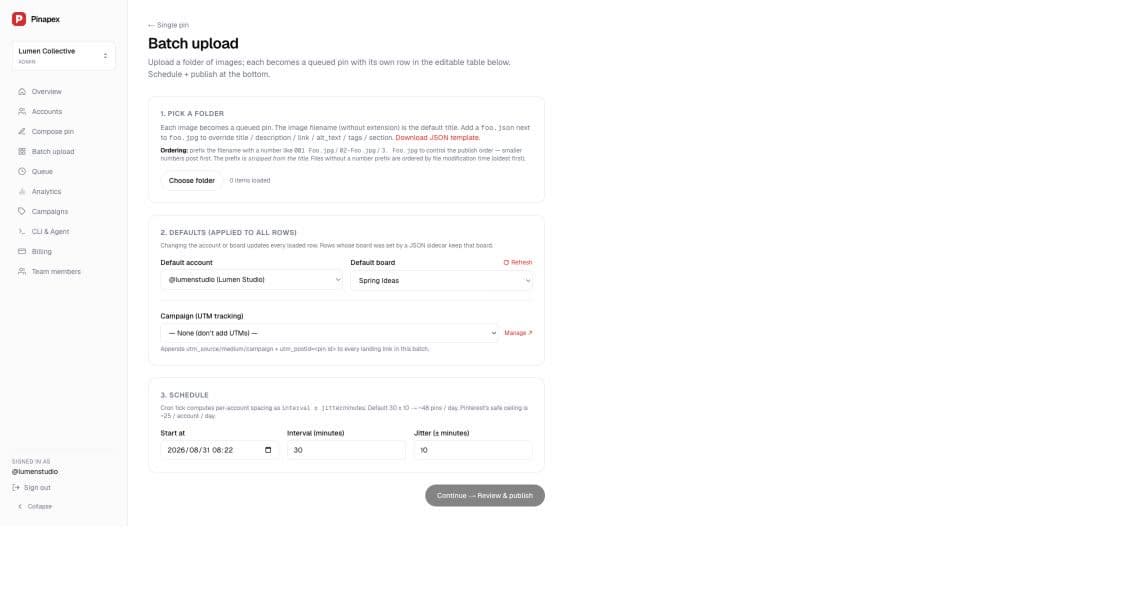
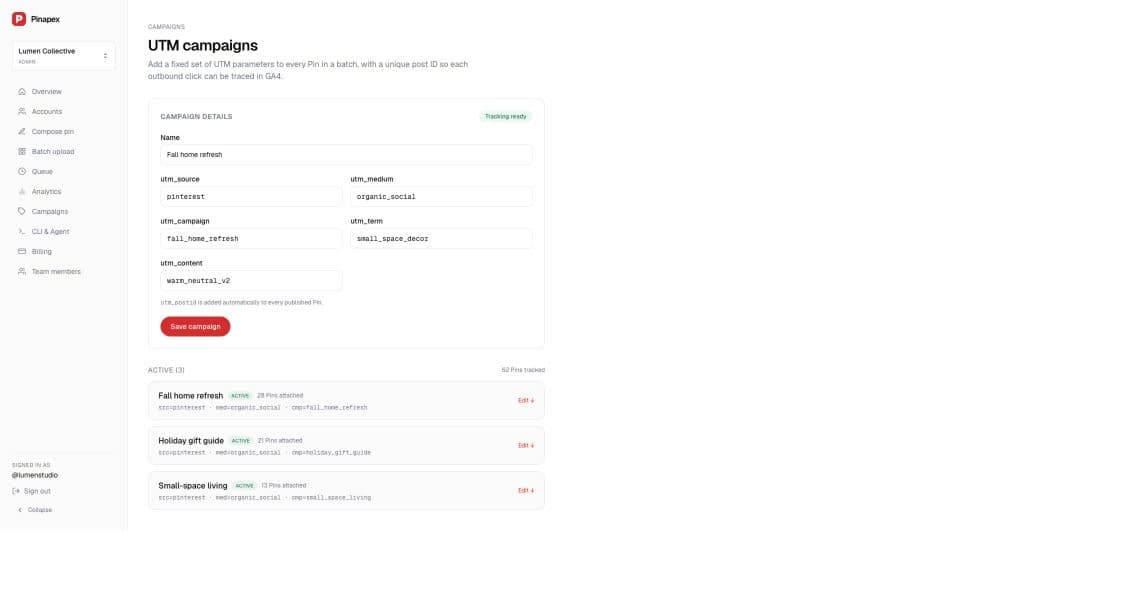
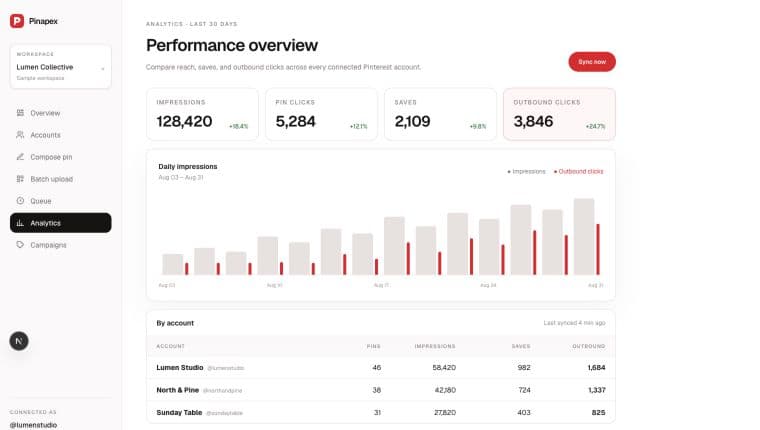
These privacy-safe product screenshots combine live Pinapex screens with a populated sample workspace, so you can inspect the workflow without exposing customer data.
See connected identities, ownership, workspace capacity, and board access without maintaining a stack of browser profiles.
Upload a folder, apply account and board defaults, attach Campaign UTM tracking, and control scheduling from one complete workflow.
Create reusable UTM presets for each campaign and let Pinapex append a unique post ID to every published landing URL.
Review impressions, saves, Pin clicks, and outbound clicks across the accounts your team manages.
Pinterest publishing software
Pinapex brings the highest-friction parts of Pinterest operations into one reviewable workflow, so you can publish more consistently without giving up account clarity.
Pinterest automation tool
Connect batch preparation, scheduling, queue monitoring, and analytics without hiding the human review step.
Explore this workflow →Pinterest scheduler
Set publishing times across accounts and see exactly what is queued, published, failed, or cancelled.
Explore this workflow →Pinterest bulk upload
Edit titles, descriptions, links, boards, campaigns, and scheduled times before the batch enters the queue.
Explore this workflow →Multiple account management
Organize OAuth access, boards, queues, team workspaces, campaigns, and reporting without profile switching.
Explore this workflow →One system, different workflows
Whether you run a solo Pinterest service or an agency team, Pinapex keeps every client workflow visible and the repetitive work contained.
Keep every account, board, batch, and publishing queue organized from one professional workspace.
Separate client workspaces, invite teammates, and review the whole Pinterest portfolio at a glance.
Explore agency softwareKeep campaigns, UTM attribution, queues, and account analytics together instead of rebuilding reports by hand.
The Pinterest operations layer
Pinapex brings the moving parts of a multi-account publishing workflow together without hiding control behind automation.
Connect each Pinterest account once with OAuth, then keep brands, boards, and queues organized from a single dashboard.
Upload a content set, prepare destinations and copy, then review the entire batch before anything enters the queue.
See what is scheduled, posting, published, or needs attention—without reconstructing the week from a calendar sheet.
Bring impressions, saves, Pin clicks, and outbound clicks into one reporting view for faster content decisions.
Keep UTM parameters attached to campaigns so traffic can be traced back to the account, Pin, and creative that earned it.
Separate client operations, invite collaborators, and keep access scoped to the workspace where the work belongs.
A simpler weekly rhythm
Keep the human decisions. Let the workspace handle the operational repetition.
Authorize with Pinterest OAuth. Pinapex never asks for or stores your Pinterest password.
Upload creative, choose boards, add copy and links, then inspect the full schedule before queuing.
Pinapex dispatches through the official API and brings performance data back into the same workspace.
For Pinterest freelancers and agencies
Apply for a 30-day Agency beta and help shape the multi-client workflow. Selected teams can connect up to 30 accounts during the beta period.
Start with your existing Pinterest account and bring the rest of your workflow into Pinapex when you are ready.