Pinterest automation for multiple accounts
Manage every Pinterest account from one place.
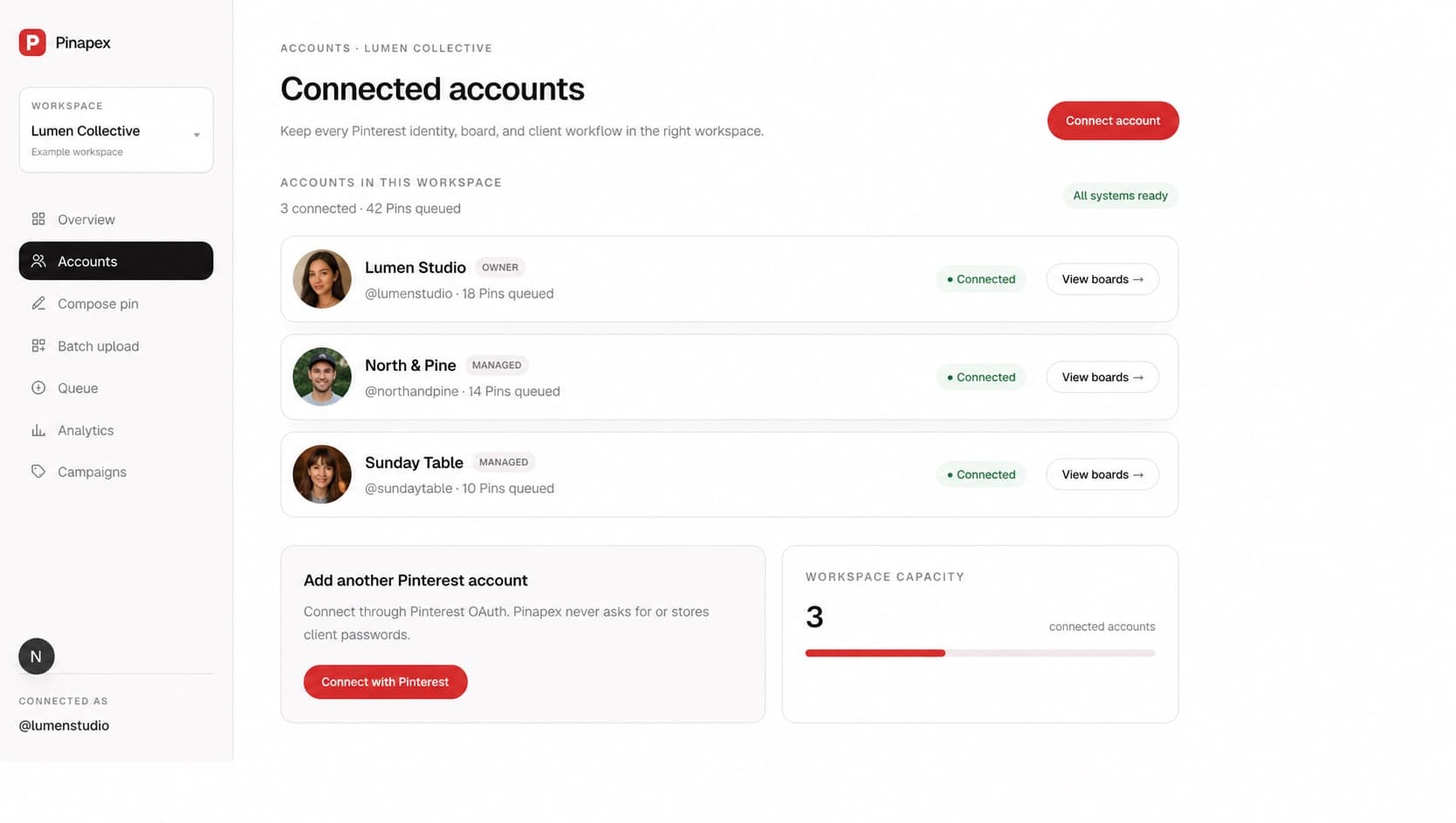
Schedule and publish Pins in batches, switch accounts without switching tabs, and see what performs—all through the official Pinterest API.
Built for real Pinterest workflows
Less repetitive setup. More control over what publishes.
Prepare Pins in batches
Upload a folder of creative, add titles, descriptions, links, boards, and campaign context, then review the complete batch before it enters the queue.
Schedule across accounts
Choose the right Pinterest account and board for every Pin, set publishing times, and keep every account's queue visible from one workspace.
Measure what publishes
Bring impressions, saves, Pin clicks, and outbound clicks back into the same operational view for faster decisions after publication.
Responsible Pinterest automation
Automation should remove repetition, not visibility.
Pinapex uses the official Pinterest API and keeps a human review step between content preparation and publishing. You can move faster while retaining control over creative, destinations, timing, and account access.
Connect each Pinterest account through OAuth instead of sharing passwords or maintaining separate browser profiles.
Review every title, description, destination URL, board, campaign, and scheduled time before Pins are queued.
Track queued, posting, published, failed, and cancelled states so automation never becomes a black box.
How it works
A clear path from content to published Pin.
Connect your accounts
Authorize each account with Pinterest OAuth and organize it in the correct personal or team workspace.
Build the publishing plan
Create one Pin or upload a content batch, choose boards, add copy and links, then set the schedule.
Publish and learn
Let the queue dispatch through the official API, then use cross-account analytics to guide the next batch.
Frequently asked questions
Practical answers before you connect an account.
What does a Pinterest automation tool automate?+
Pinapex automates operational steps such as scheduled dispatch, batch queueing, publishing-state tracking, and analytics sync. Creative choices, board selection, copy, links, and timing remain reviewable before publishing.
Does Pinapex use browser automation?+
No. Pinapex connects accounts with OAuth and publishes scheduled Pins through Pinterest's official API with Standard Access.
Can I automate Pinterest for multiple accounts?+
Yes. Multiple Pinterest accounts can be connected and organized in personal or team workspaces, with separate boards, queues, campaigns, and account-level analytics.
Can I review Pins before they are scheduled?+
Yes. The batch workflow includes an editable review table so you can check content and scheduled times before uploading and queueing the batch.
Explore Pinapex
Build the Pinterest workflow that fits your team.
Pinterest scheduler
Plan publishing times and monitor every Pin in one dependable queue.
Learn more →Pinterest bulk upload
Turn a folder of images into an editable, scheduled publishing batch.
Learn more →Multiple account management
Keep account access, boards, queues, and reporting organized by workspace.
Learn more →Put Pinterest publishing on a dependable system.
Connect with Pinterest OAuth, prepare your first Pin or batch, and keep publishing status visible from one workspace.
Try Pinapex free for 7 days